Nova Forms @ Odoo 20: Released in the Odoo Apps Store.
Now with offline forms (PWA).
Nova Forms Odoo app
Form Builder & Forms App for Odoo
Design forms and collect responses in Odoo.
Intergration built-in. Every response becomes an Odoo record.
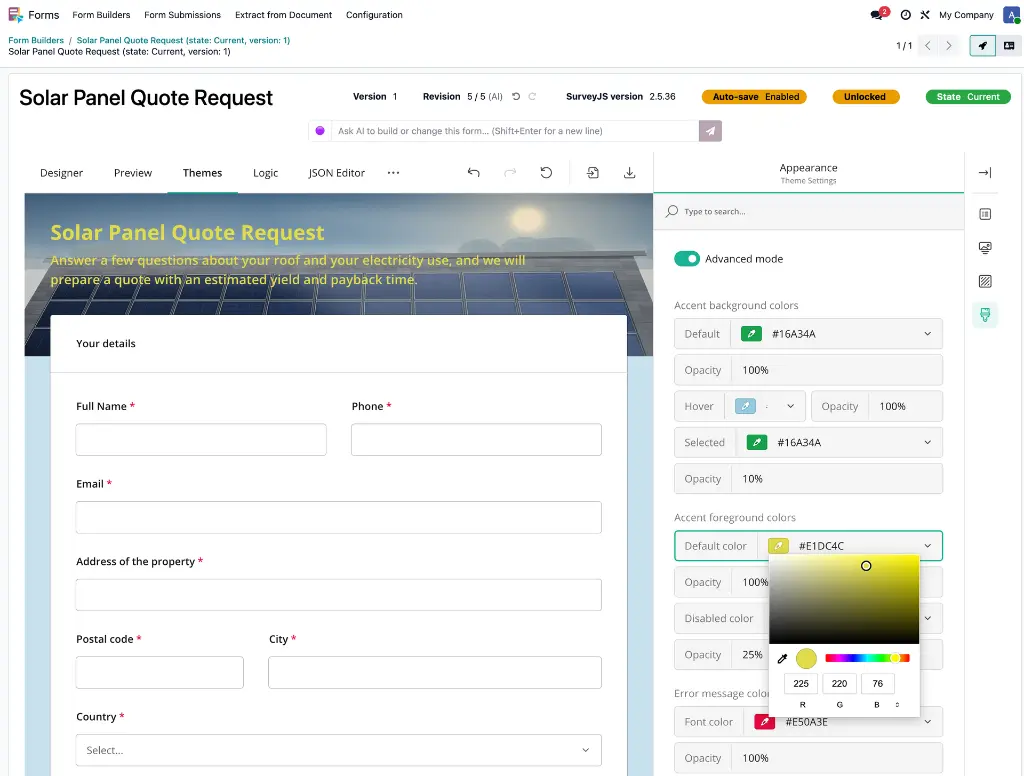
Drag & drop Form Builder
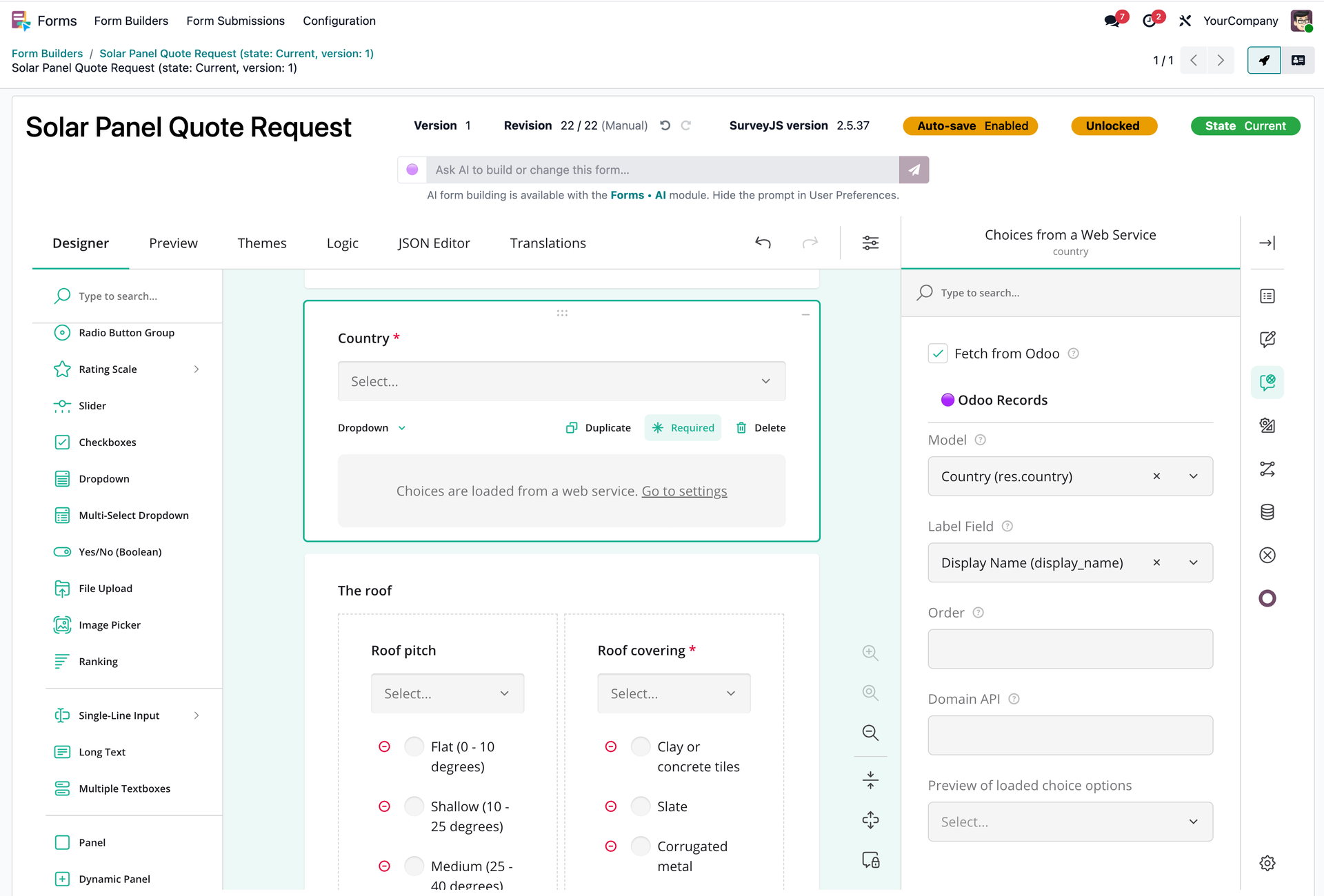
Forms inside Odoo records
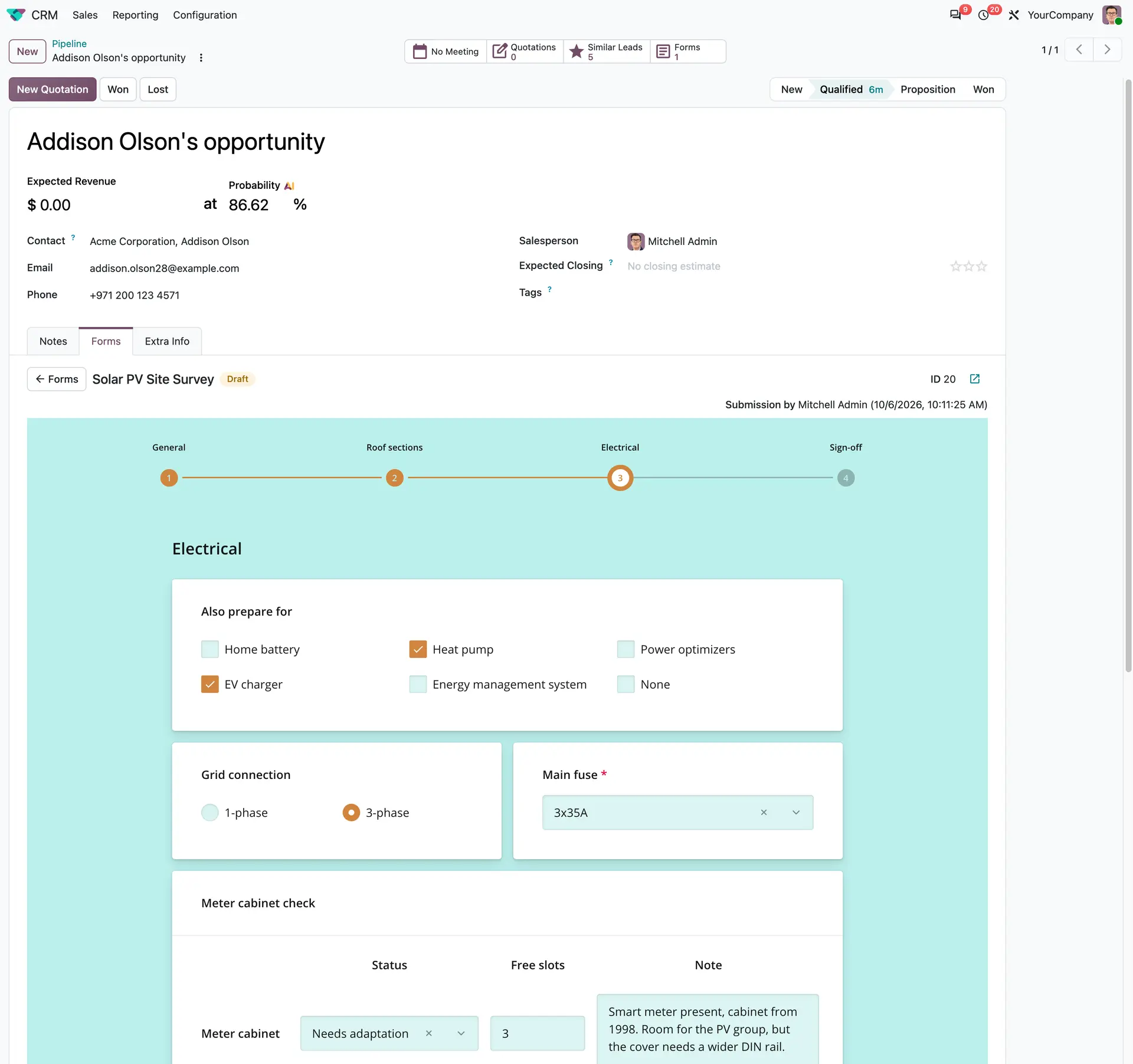
Theming & Preview
One form, everywhere:
portal, website, backend and external sites
Powered by  JS libraries

Form Builder
Drag & drop and configure form fields
The simplest way to create beautiful and integrated forms in Odoo.
Powerful features and integration possibilities by additional modules and with Odoo apps.
Portal Forms
Forms you've already created can be assigned to specific portal users.
Portal users can also start a new, blank form on their own.
An extensive set of features for configuring the portal forms section and the UX.
Forms cards-navigation and list in the portal
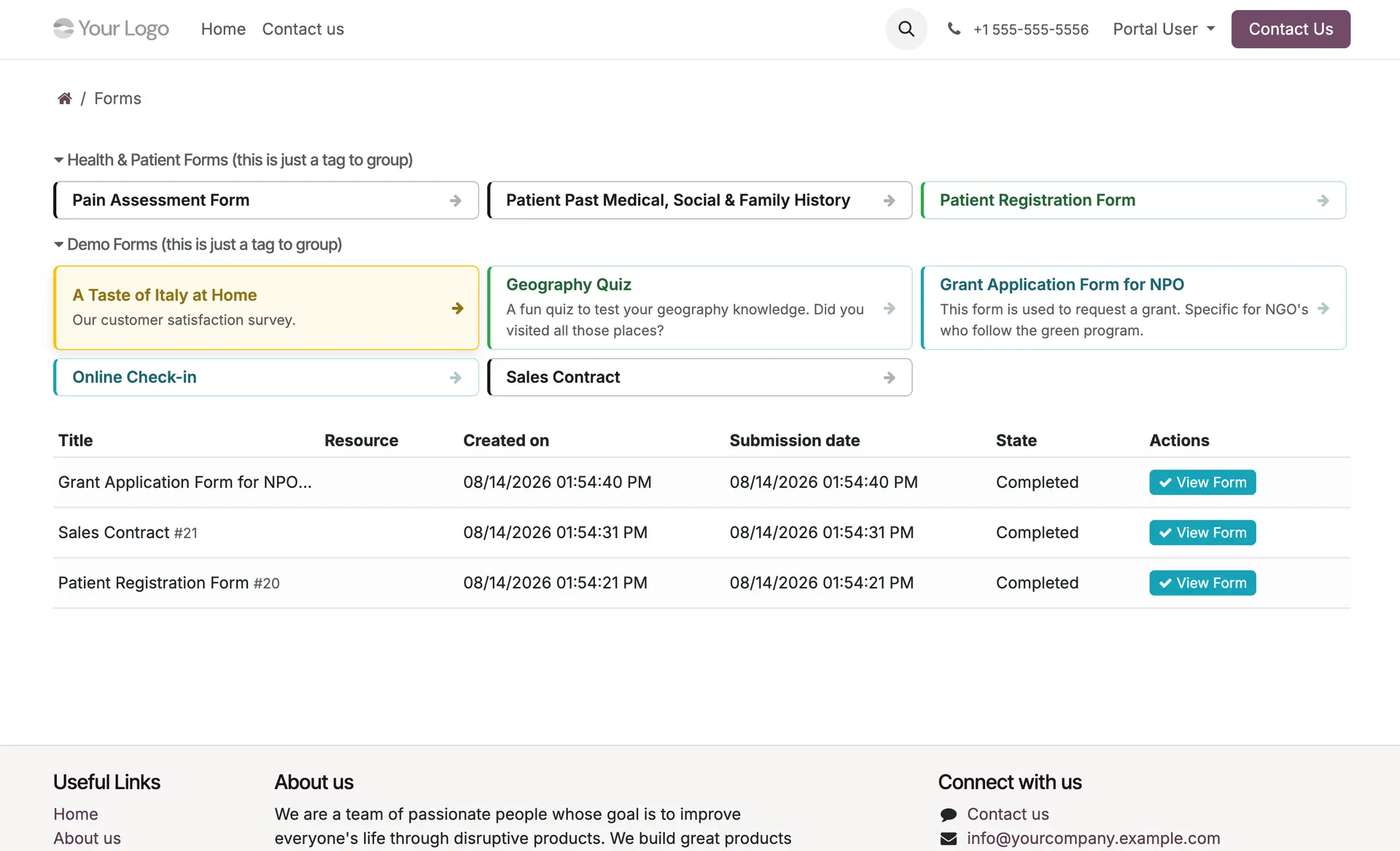
Example forms in the portal
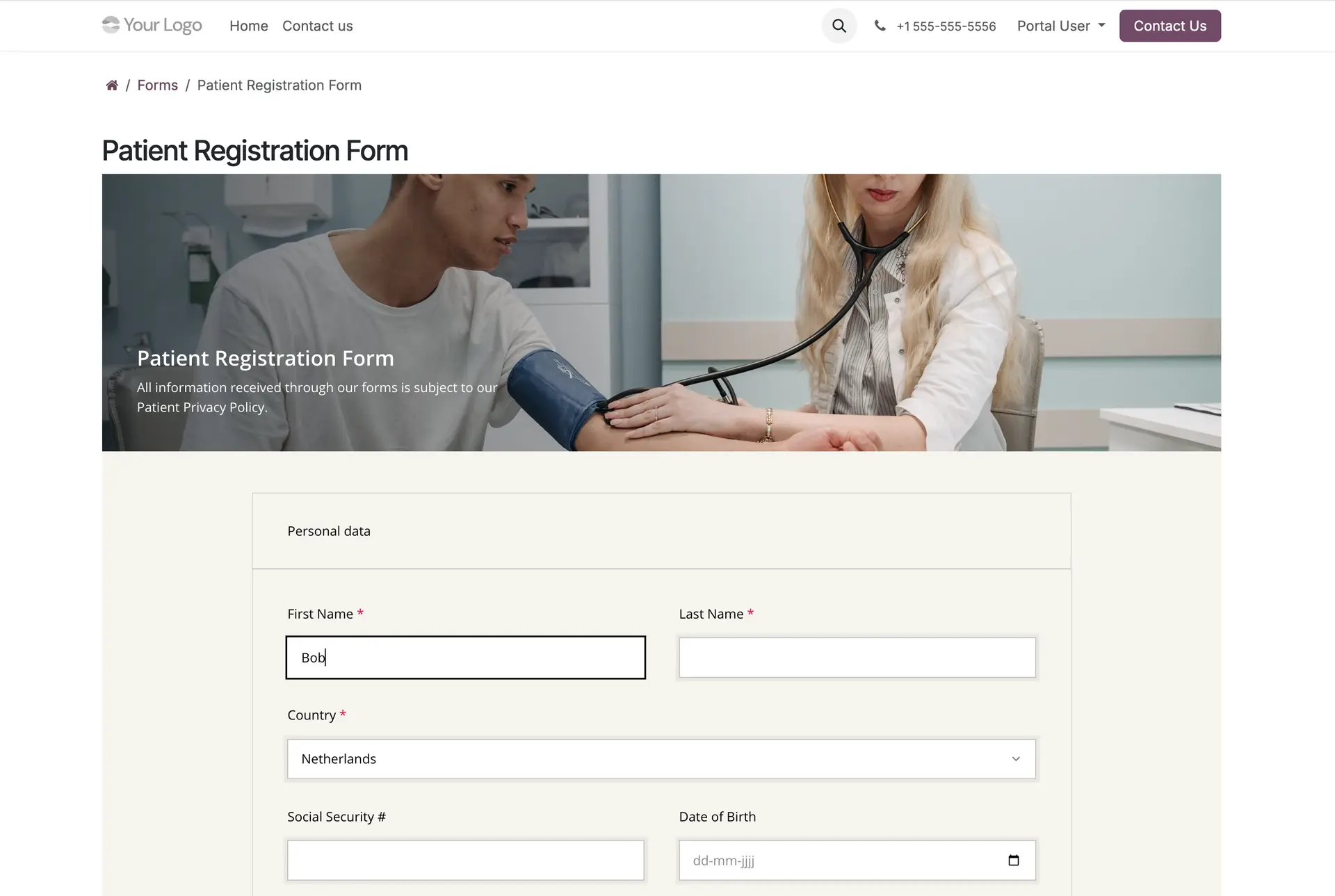
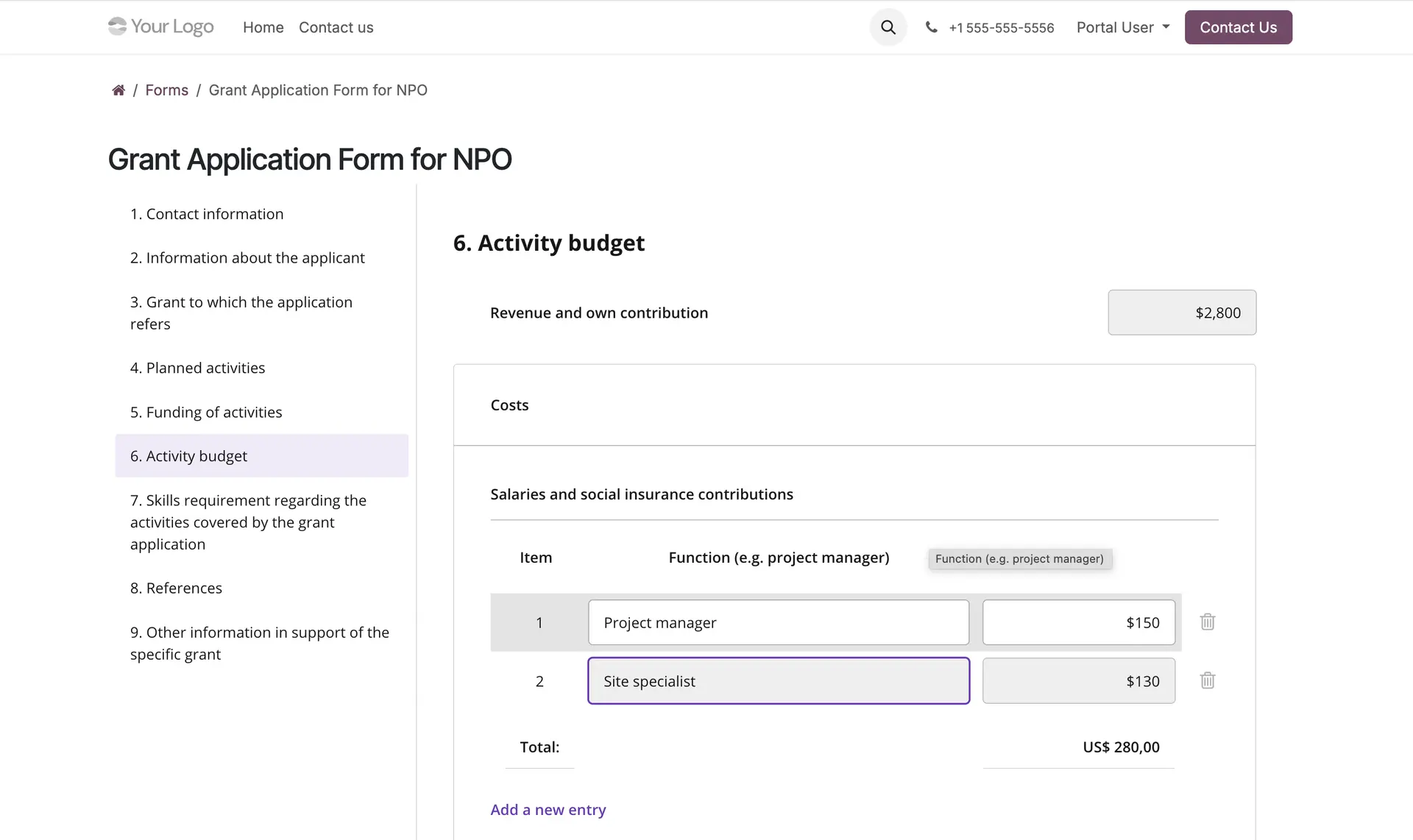
Website Forms
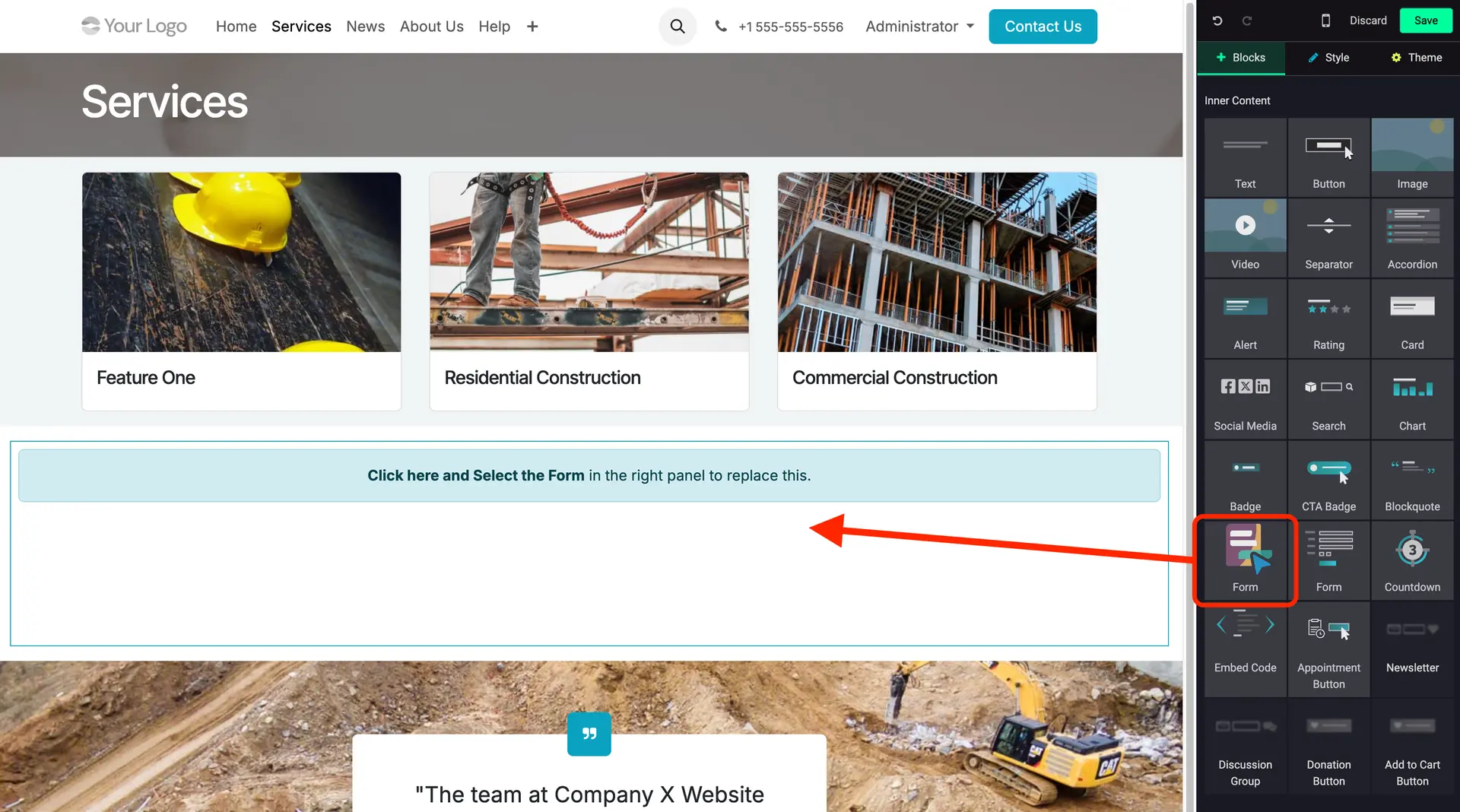
Drag & drop a form on a website or portal page
2 easy steps:
- Drag & drop the Form block on the website or portal page.
- Select the form.


Prefill & Update (reactive) Fields
Pre-fill form fields with data from Odoo
Update form fields with data from Odoo
Apply for fields like: text, number, date, datetime, select (dropdown), checkboxes, rating, dynamic panel rows and more.
Provide Odoo model records (fetch, filter)
as select (dropdown) and checkbox choices.


White-labeling / Themes
Full control over the appearance of your forms.
Use built-in themes or create your own.
EU-based vendor 🇪🇺
Used by 50+ companies & Odoo partners worldwide 🌎


Built on experience
+10 years of Odoo experience
+100 forms & integrations built
+8 years with reviews on the Odoo Apps Store
+20 countries where Nova Forms is used
Some other features
One form. Everywhere: backend, portal, website and embedded
AI form building, extend with Record Mappings and Simple APIs when requirements grow
Multilingual
- Form Builders and Forms are multilingual.
- Language-switch buttons are automatically available in the form and form builder.
- Manage custom translations (e.g. labels, select choices, buttons, error messages) in the Form Builder.
- The default language is automatically determined and set by: website → logged in (portal) user.
- If the website is enabled, the language (translations) also react upon the website language-switch.
JSON data
- Form Builders and Forms submissions are stored as JSON data, on-premise in the Odoo database.
- The Forms App got you covered with Odoo database upgrades / migrations,
for forms built with the new SurveyJS forms engine, from Odoo 19.0 onwards.
Upgrading an Odoo database doesn't require to migrate the Form Builders and Forms submissions data. Also the translations and themes won't be affected.
Integrations
The integration possibilities are almost unlimited:
- Integrate Forms with other Odoo apps (modules), for example: CRM, Helpdesk, ERP, Sales, HR, shop, e-commerce, website
- Process Form submissions to integrate the form data with any requirement, e.g. create / update records, execute record actions / methods etc.
- Visit the other Forms modules in the Odoo Apps Store, to get a basic idea of configurable and integration modules.
Compatible with Enterprise and Community
Works on Odoo.sh and your hosting of choice.
Check out the app in the Odoo Apps Store
45+ ⭐⭐⭐⭐⭐ ratings

Request a license key to remove the branding badge at the bottom of every form and to receive email notifications about module updates.
Join many satisfied companies and Odoo partners
Quotes from reviews in the Odoo Apps Store.
" Super helpful module and amazing developer support "
" Nova Forms is a very useful and well-designed module. It makes building and managing complex forms in Odoo much easier, and the integration works smoothly on my website. The documentation and configuration are clear, and the module works well even before using a license key.
Most importantly, the developer is extremely responsive and helpful – my questions about setup and licensing were answered quickly and in detail. I’m very satisfied so far and would highly recommend this module to other Odoo users. "

" All in one solution "
" Very impressed with the hole that these modules fill in Odoo's solution as an ERP. The only aspect that was letting my business down was the ability to make custom forms and have them correlate to the Odoo database. This module fixes that issue!
Was having issues implementing for my business so reached out to developer and have been pleasantly surprised at how helpful they have been during my implementation. "
" Wow, what a useful module "
" If you need super customizable forms look no further. Would definitely recommend as it’s already saving us so much time in our operations. "
" Amazing app! "
" This is my first Odoo project, coming from Wordpress. Of all the forms I have used over the years, this is simply the best.
The support is fantastic. Incredibly quick replies and service way above and beyond all expectations "
Questions & Answers
The Nova Forms app is proudly provided by Nova Code, an Odoo consultancy and development company from The Netherlands 🇳🇱
We service our customers with Nova Forms app support, training, implementations and customisations.
- Made in Europe 🇪🇺
- Services from a partner in Europe 🇪🇺
Nova Code is only the provider of the forms software (Odoo modules), and not the owner and responsible party for:
- Hosting the software.
- Collection and processing of the form responses.
Recommendation:
In case forms containing personal data, respondents have the right to access their personal data or to request it to be removed. Inform them. Provide them with a way to do so, this can be as simple as sharing an email address that respondents can send their request to.
The OPL-1 license is the Odoo Proprietary License v1.0
Regarding the Forms app and modules: One License is permitted per Odoo database (including copies for staging and dev).
Contact us for multi-project, reseller and custom licensing.
Register the purchased Forms app or additional module(s) and you will receive a FREE License key to unbrand (debrand) every form.